The Brain of My Home: A Deep Dive into My Homelab (2026)
A tour of my four-node standalone Proxmox homelab — the hardware, the Docker + Traefik stack, how local and public services stay separated, and the big 2026 cleanup that finally tamed the sprawl.
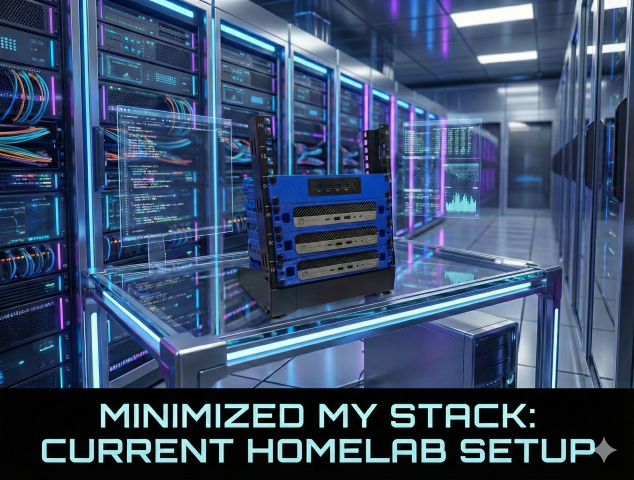
Welcome to my homelab. It's more than just a stack of servers; it's a playground for learning, a production environment for my personal tools, and the digital brain of my home. In this post I'll walk through the philosophy behind the setup, the hardware that powers it, the software stack that keeps it humming — and the big 2026 cleanup that finally tamed the sprawl.
The Philosophy
My goal has always been to balance reliability, flexibility, and cost. I need a system stable enough to run essential home services (media, productivity, home automation) but flexible enough to let me spin up new containers, break things, and learn — without taking down the whole network.
The Gear: Hardware Breakdown
The lab runs on four small-form-factor nodes on a single 192.168.10.0/24 network. One deliberate architectural choice up front: they run as standalone Proxmox hosts, not a cluster. No shared quorum, no HA failover — each node stands on its own. For a home lab that keeps things simple and means one node's problems can't take down a whole cluster.
pve-primary — dev & build. Intel Core i5-6600T, ~32 GB RAM, NVMe. Home of my dev/build box where I build my own app images, plus a freshly rebuilt general-purpose host.
pve-secondary — the production workhorse. Intel Core i5-6500T, ~24 GB RAM. Despite the name, this is where the 24/7 workloads live: my Traefik ingress and Gitea, the "infra core" host (OtterWiki, PatchMon, OpenGist, the dashboard, Sencho), and the family apps.
pbs — the vault. Intel Core i5-6500T, ~24 GB RAM. Runs Proxmox Backup Server, so if I accidentally rm -rf the wrong thing, I can roll back in minutes.
pvedege — the edge. Intel Celeron J4125, ~8 GB RAM. My low-power node, running Home Assistant, Pi-hole, and Uptime Kuma.
The Core: Virtualization & Containers
Every node runs Proxmox VE. Right now everything is full QEMU VMs (no LXC at the moment), and inside those VMs, Docker reigns supreme.
Why Docker?
Containerization changed how I think about software — no more dependency hell. Every app is containerized and defined by a compose.yml, so my infrastructure is effectively code. I can wipe a server and have it back with all services exactly as they were in minutes.
- Orchestration: Docker Compose
- Management: Sencho (a self-hosted Compose UI) plus the CLI. (I retired Portainer during the 2026 cleanup — more on that below.)
The Gatekeeper: Traefik, DNS & TLS
My local services live under binglab.net and are LAN-only — nothing on the home lab is exposed to the internet. Sitting in front of them all is Traefik, and it's a game-changer:
- Service discovery — I don't hand-write config for every service; I add a label to the container and Traefik routes to it automatically.
- Automatic SSL — Traefik pulls a Let's Encrypt wildcard
*.binglab.netcert via DNS-01 through Cloudflare, so every local service gets a cleanhttps://app.binglab.net.
DNS itself is "chained": clients → Pi-hole (ad-blocking) → UniFi gateway (local names) → Quad9. A firewall rule blocks port 53 everywhere else, so nothing can bypass Pi-hole.
Public services (my blog and container registry) run separately on a Hostinger VPS managed by Dokploy and fronted by Cloudflare — kept entirely off the home network. When I'm away, I reach the LAN through a UniFi travel-router tunnel.
The local routing flow, end to end:
Request → Pi-hole / UniFi DNS → Traefik → Docker container
The Workflow: From Code to Deploy
I'm not just hosting apps; I'm building them.
- Code locally in VS Code (or Remote-SSH straight into the dev box).
- Build a Docker image and push it to my self-hosted registry.
- Deploy — local apps come up with
docker compose up -dand Traefik grabs the cert; public apps ship to the VPS via Dokploy.
Service Spotlight: What's Running?
A few highlights of what all this hardware actually does:
- Code & docs: Gitea (Git + CI), OtterWiki (my knowledge base), OpenGist (snippets)
- Family: Mealie (recipes + shopping lists), Wallos (bill/subscription tracking)
- Home & network: Home Assistant (automation), Pi-hole (DNS + ad-blocking)
- Monitoring & ops: Uptime Kuma, What's Up Docker, dockscope, and PatchMon for fleet-wide patch tracking
- Custom dev: several of my own apps — a cycling app, a homelab tracker, a 3D-route shop, a 50-states running tracker, a body-measurements tracker, and more
- Blog: this site, running Ghost on the VPS
The 2026 Cleanup: Taming the Sprawl
A lot of this lab grew out of a daily "self-host something new" challenge — which, over dozens of days, left duplicates and half-finished experiments everywhere. So in 2026 I did a serious cleanup pass:
- Consolidated hosts — decommissioned two crufty VMs and rebuilt one clean, adopting a consistent naming scheme (and finally making the Proxmox name, the OS hostname, and the patch-tracker name actually agree).
- Killed duplicates — two Gitea instances became one; two wikis became just OtterWiki; three reverse proxies became just Traefik; two kanban boards retired; and more.
- Patched everything — every host is enrolled in PatchMon and the whole fleet is fully up to date, backed by docs that live in a Git repo and mirror to my wiki.
- Squashed a good bug — the freshly rebuilt node kept throwing a kernel oops under load. The culprit was Proxmox CPU passthrough (
host) tripping up a brand-new guest kernel; switching to a stable virtual CPU model fixed it for good, and it's now a documented build default.
Future Goals
A homelab is never "finished." On the radar:
- Offsite backup — already done: PBS with an encrypted copy pushed to Backblaze B2, and I've actually tested a restore.
- More automation — Ansible playbooks for initial server provisioning.
- A dedicated management-plane host — so control tools live off the workload hosts they manage.
Thanks for reading! If you have questions about the specific configs or hardware, feel free to reach out.